
Audio note for Wild Breath participants:
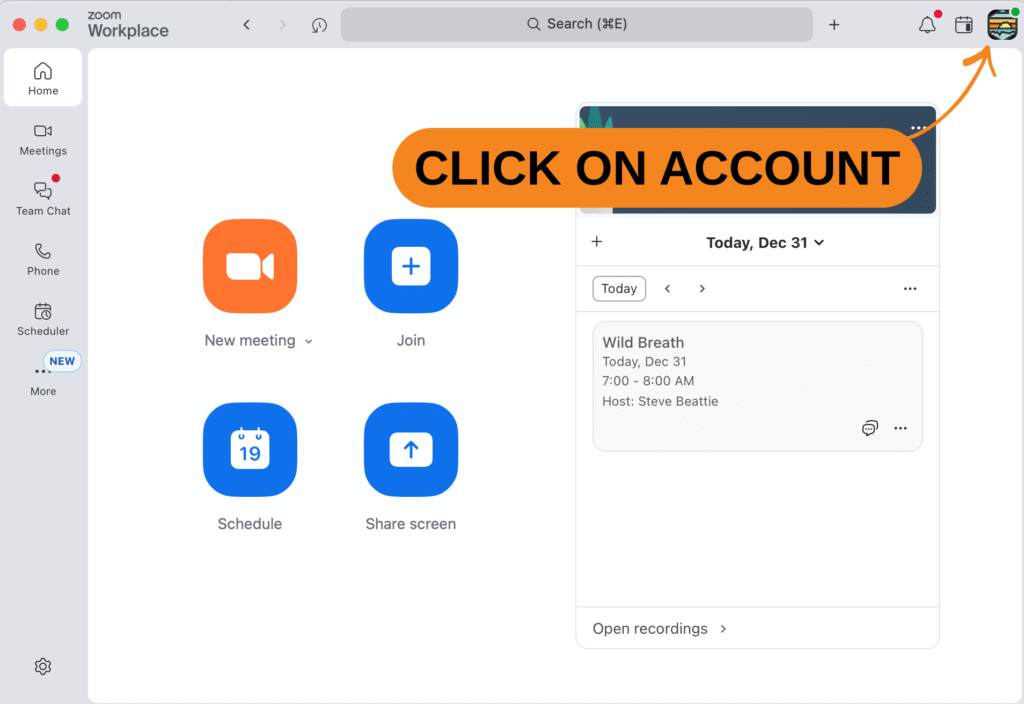
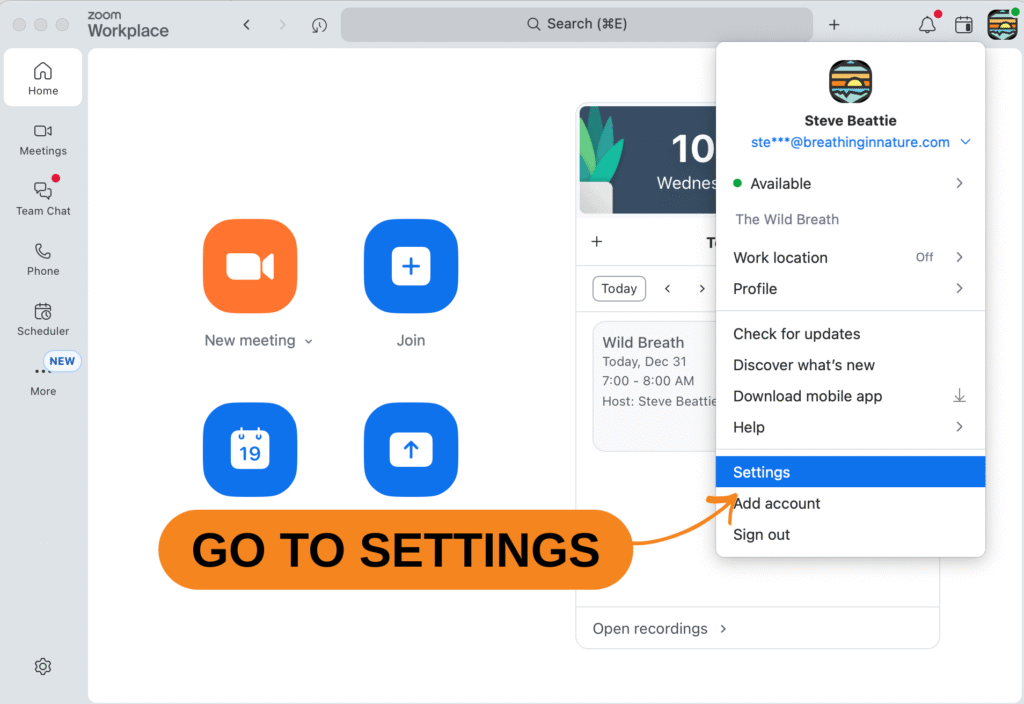
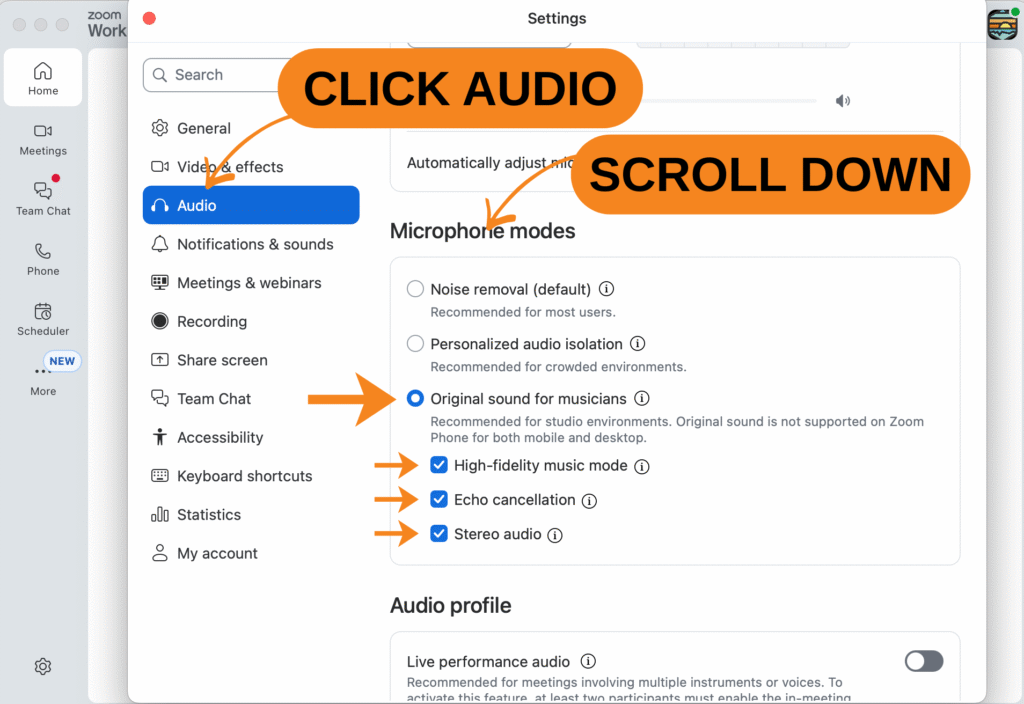
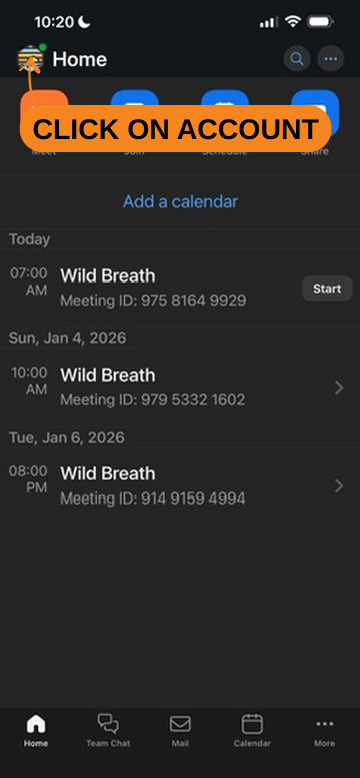
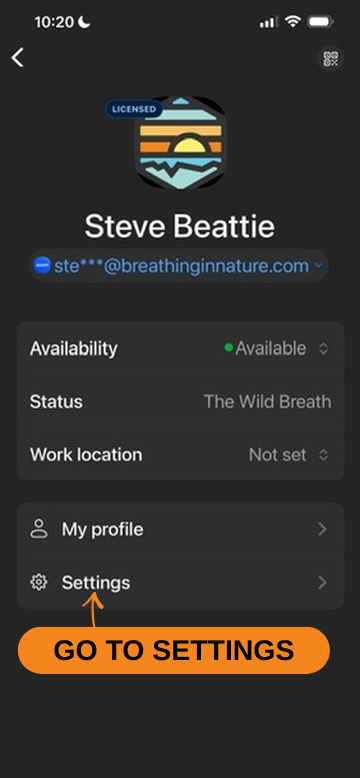
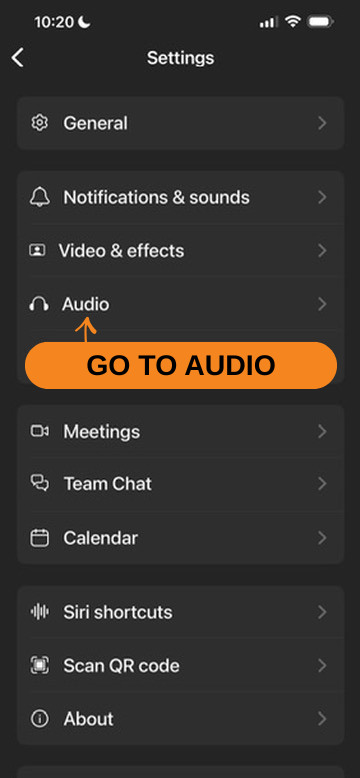
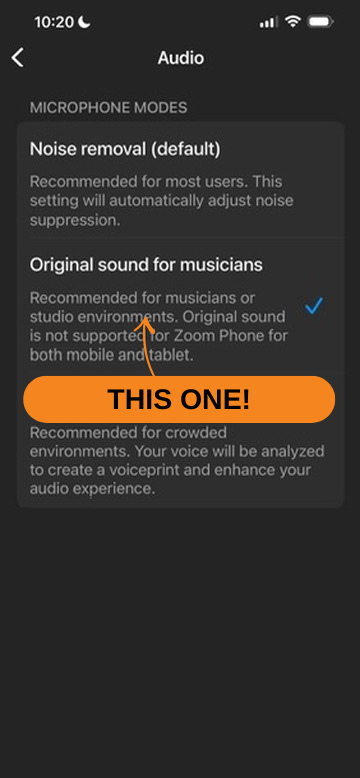
For the best sound experience during Wild Breath, please turn on “Original Sound” in Zoom (Zoom Settings → Audio → enable Original Sound, then switch it ON during the session). If you notice the music fading, crackling, or overpowering the voice, this setting usually resolves it. Whenever possible, avoid Bluetooth headphones and use wired headphones or speakers instead, as Bluetooth can cause instability with music and voice together. Everyone’s device processes Zoom audio slightly differently, so a few small adjustments on your end can make a big difference.